


Soil and Rock Symbols
It is possible to select a pattern category from a combo list for each input soil and the color of the pattern. These are displayed in the input profile.
The following pattern categories are implemented in the program:
- GEO5 patterns
- full colors
- YS 5204
- GEPRODO
- GEPRODO HG
- DIN 4023 (1984)
- DIN 4023 (2006)
- DIN 4023 (2023)
- ÖNORM
- VSS 40 034
- BS 5930
If the required pattern is not available in the catalog, it can be created in the Pattern Editor, which opens by clicking the "Edit pattern" button. In this case, the currently selected pattern is loaded for editing, so it is recommended to select the pattern that is most similar to the desired new one.
The color you choose from the combo list is used to plot soils or rocks on the desktop and to pictures, which are either stored on the "Picture list" or printed using "Print and export desktop view" (to visualize the same (full) colors in pictures, the option "full color" in the "Drawing Settings" must be set).
The pattern color should be chosen concerning the desktop background or printout paper so that it is sufficiently visible.
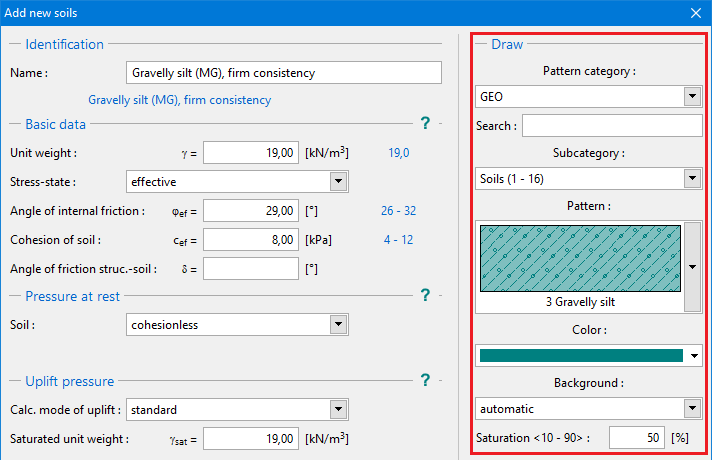 "Add new soils" dialog window - the selection of color and pattern category